Keeping employees informed about the latest company procedures, policies, and internal guidelines is important for efficiency and consistency across the organisation. To make this information easier and quicker to access, PhoneHQ offers a Self-Service Knowledge Bot built into the chat interface.
Before the Self-Service Knowledge Bot can be enabled, your organisation must contact the PhoneHQ Support team. To set up and train the bot, you need to provide a knowledge source containing the information the bot should use to answer questions. This source can be either:
A website (URL)
A PDF document
Once the source has been provided and the PhoneHQ team has set the bot up, the feature will be available in your account.
After activation, the Self-Service Knowledge Bot can be found directly in the chat interface, for example, in a direct chat. Look for the book icon at the top of the page.

Click the icon to open the bot window, where you can type your question in the text field.
Click the book icon to open the bot.
Type your question in the input field.
Press Enter to send your question.
The bot will review the available knowledge source and show an answer below the input field.
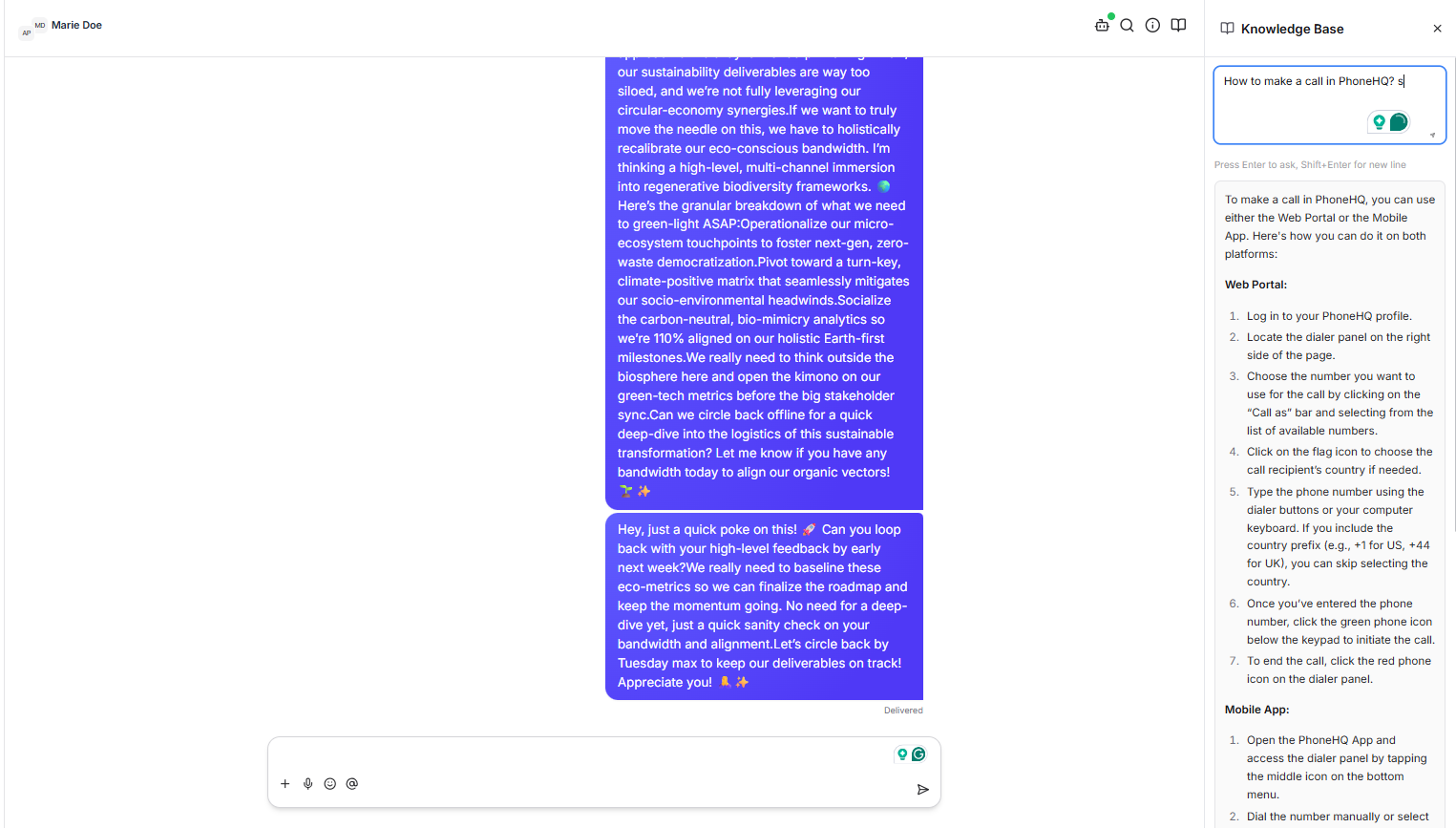
To ask another question, remove the previous question from the input field and enter a new one. Press Enter again to get a new response from the bot.
