A public phone number can be assigned to multiple users or a group of users. It can be quickly allocated to a new team member, allowing them to start making and receiving calls immediately.
Each user with access to the number can make calls using it, view call history, and modify its settings.
Use examples:
Customer Support Phone Number – A shared line where multiple agents handle incoming calls, ensuring that clients can reach the team without needing a specific employee.
Internal Department Number – A single number for departments such as Finance, IT Support, or Sales, allowing multiple team members to handle calls efficiently.
Sales & Lead Management – A sales team can use one public number for outreach calls, follow-ups, and demos, ensuring continuity even if a specific salesperson is unavailable.
IT Helpdesk or Technical Support – A single number for an IT or support team where employees can report issues, and the next available agent can respond.
HR or Recruitment – A public number for job applicants or employee-related inquiries, where HR team members can share the responsibility of handling calls.
Logistics & Operations – A centralized number for suppliers, vendors, and drivers to coordinate deliveries, reducing the risk of missed or delayed communications.
A private phone number can be assigned to only one user at a time. Once assigned to an account, only the assigned user and Admins can see it, but only the assigned user can make calls using it.
Phone calls made with a private number are visible only to the assigned user. If the number is removed from a user's profile, their call history will remain accessible in their records. When a new user is assigned the private number, they will only see the calls they have handled.
Only Admins have access to the full call history through the billing report. A private number can’t be assigned to a group.
Use examples:
Executive & Leadership Communication – CEOs, Directors, and Managers can use private numbers for direct communication with key stakeholders, avoiding general business lines. This ensures confidentiality in high-level discussions with investors, partners, or legal advisors.
Dedicated Account Managers & Sales Representatives – Sales professionals handling high-value clients can maintain one-on-one communication without calls being shared across a team. This helps build long-term client relationships and ensures continuity, even if there are contact changes within the organization.
Legal & Financial Consultations – Lawyers, financial advisors, and consultants require secure and private communication with their clients. A private number prevents sensitive client data from being accessed by other team members.
HR & Recruitment – HR representatives conducting confidential interviews or discussing sensitive matters such as salaries, promotions, or terminations benefit from private numbers. This ensures that personal employee discussions are not accessible to unauthorized users.
VIP Customer Support & High-Priority Clients – Some companies provide premium customer support services where VIP clients have direct access to a dedicated support agent. A private number ensures a personalized customer experience without routing through general support lines.
Field Operations & Remote Work – Employees working offsite or remotely can have a dedicated private number for communication with the main office. This ensures clear call tracking and avoids shared call records when dealing with sensitive business operations.
Freelancers & Consultants – Independent contractors using PhoneHQ can keep their professional communication separate from shared company lines. This allows them to manage client-specific interactions without interference from other team members.
Private phone numbers have a special marking in the Web Portal, allowing you to instantly recognize that a number is private. This marking is visible on every screen where the system displays phone numbers available to you.
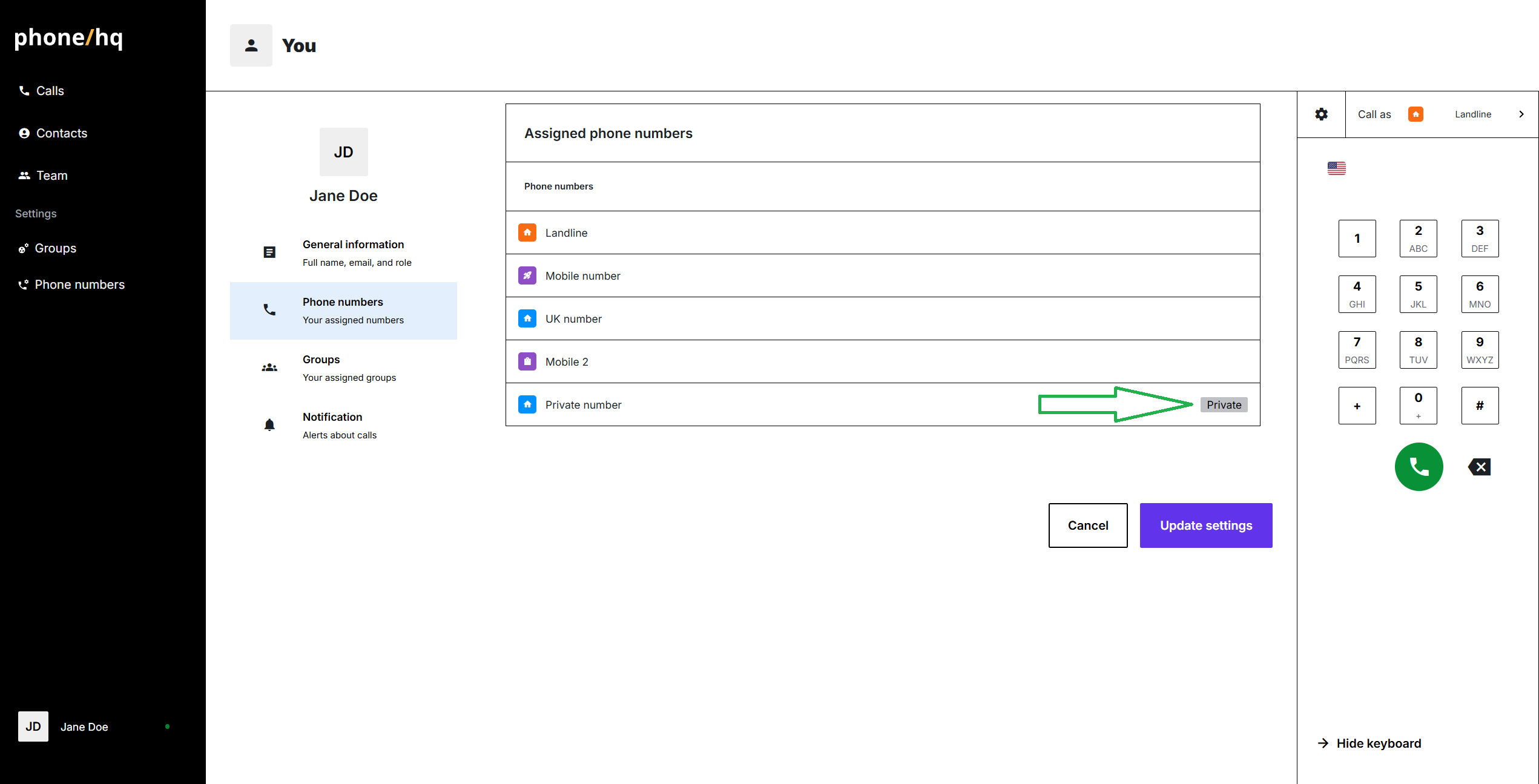
The same label is visible in Admin panel, where Admins can manage accesses to phone numbers.
1. Can I change a number from public to private or vice versa?
No. The type is fixed after assignment. To change, the number must be removed and reassigned under the correct setting.
2. Can users share private numbers with others?
No. Only the assigned user and Admins have visibility or access.
3. Can Admins listen to calls made from private numbers?
Only the assigned user can see call recordings. Admins can only access metadata through billing reports unless explicitly granted recording permissions.
4. What happens when a private number is reassigned?
The new user will only see call history from the time of their assignment onward.
Term | Definition |
Public Number | A shared number usable by multiple users or groups. |
Private Number | A number assigned to a single user; used for private, individual communication. |
Call History | Log of inbound and outbound calls. |
Admin Panel | A control center for Admins to manage users, numbers, and access permissions. |
Call Metadata | Call-related information such as time, duration, and participants (no content). |
