Working hours settings are part of the phone number management section, accessible in the number details tab.

Follow steps below to set up working hours:
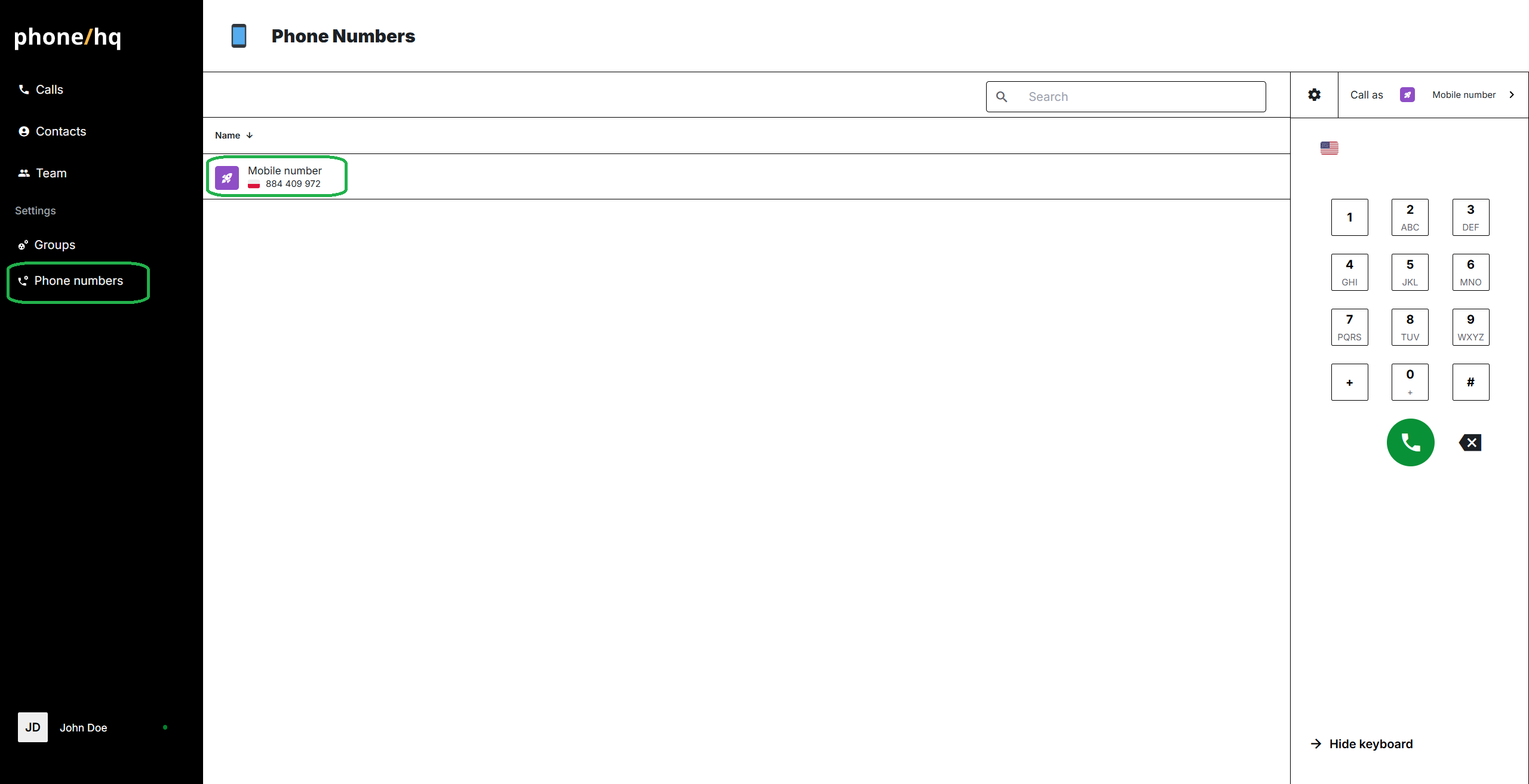
Go to the “Phone Numbers” section on the left-side menu.
Click on the phone number for which you want to set up working hours.
Click the “Working Hours” button on the top bar.
Set the appropriate time zone for your number by selecting an option from the dropdown menu.
Choose whether the working hours will apply every day, on workdays, or custom. To select one of these options, use the dropdown menu under the “Schedule” header.
Based on your choice, configure the proper working hours. After setting the correct time, click "OK" to confirm.
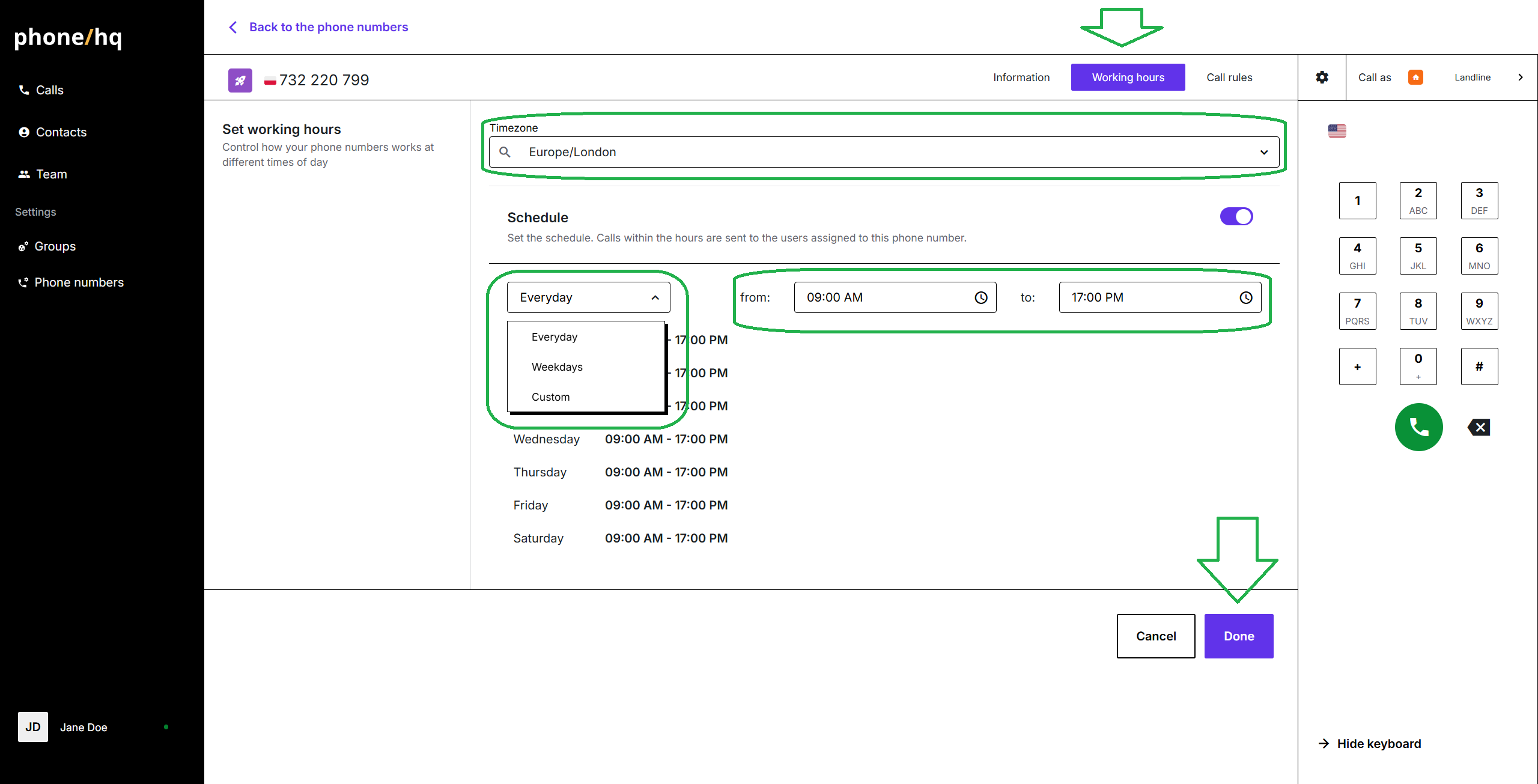
Once the hours are set, click the “Done” button below the working hours panel.
1. What happens if no agents are available during set working hours?
The system will treat it as if it’s outside working hours and apply the configured after-hours scenario (e.g., call forwarding, voicemail, no answer).
2. Can I set different working hours for each day of the week?
Yes. Choose the “Custom” option in the schedule to define different hours for each day.
3. Does one time zone apply to all phone numbers?
No. Each phone number can have its own assigned time zone.
4. Can I set different working hours for different phone numbers?
Yes. Each PhoneHQ number can have individual working hours settings.
5. What happens to incoming calls outside of working hours?
They will be handled according to the “outside working hours” rules (e.g., voicemail, call forwarding, no response).
Term | Definition |
Working Hours | The times during which agents are expected to be available. Calls outside these hours are handled differently. |
Phone Number Settings | Settings assigned to a specific phone number, including working hours and call forwarding. |
Time Zone | The time zone assigned to a phone number that affects its working hours schedule. |
Schedule | The working hours schedule, which can be daily, weekdays-only, or customized per day. |
Outside Working Hours | The call handling scenario for calls received outside of set working hours. |
Found a mistake or missing article? Contact PhoneHQ Support and let us know!
