Access to billing reports is limited to users with Admin permissions. If you don’t have the necessary permissions but need access to a report, please contact your account Admin.
Go to your profile menu (bottom left corner of the screen).
Click on the “Admin” bar.
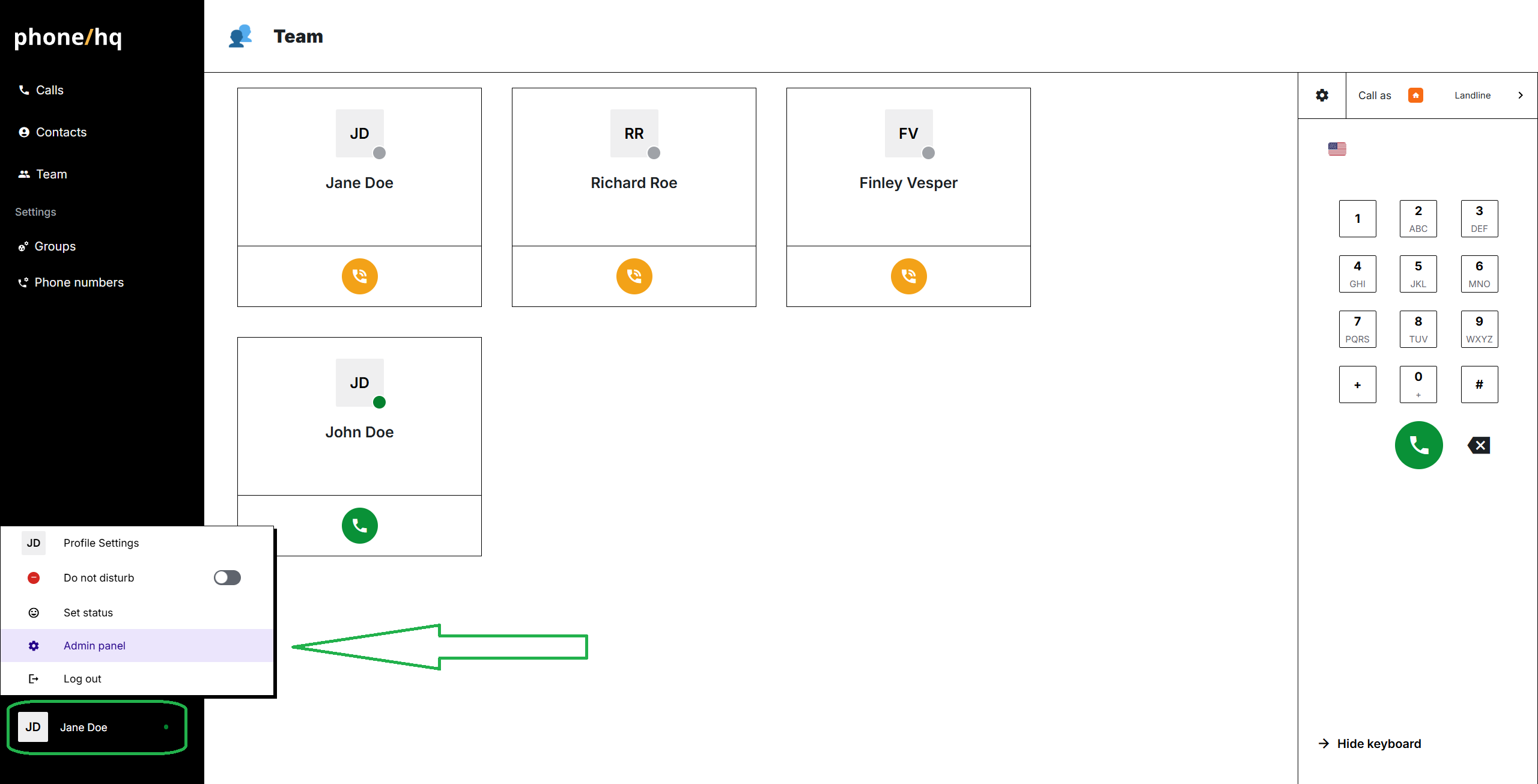
Once in the Admin panel, go to “Reports”.
Select the month for which you’d like to generate the report.
Click on the “Download report” button.
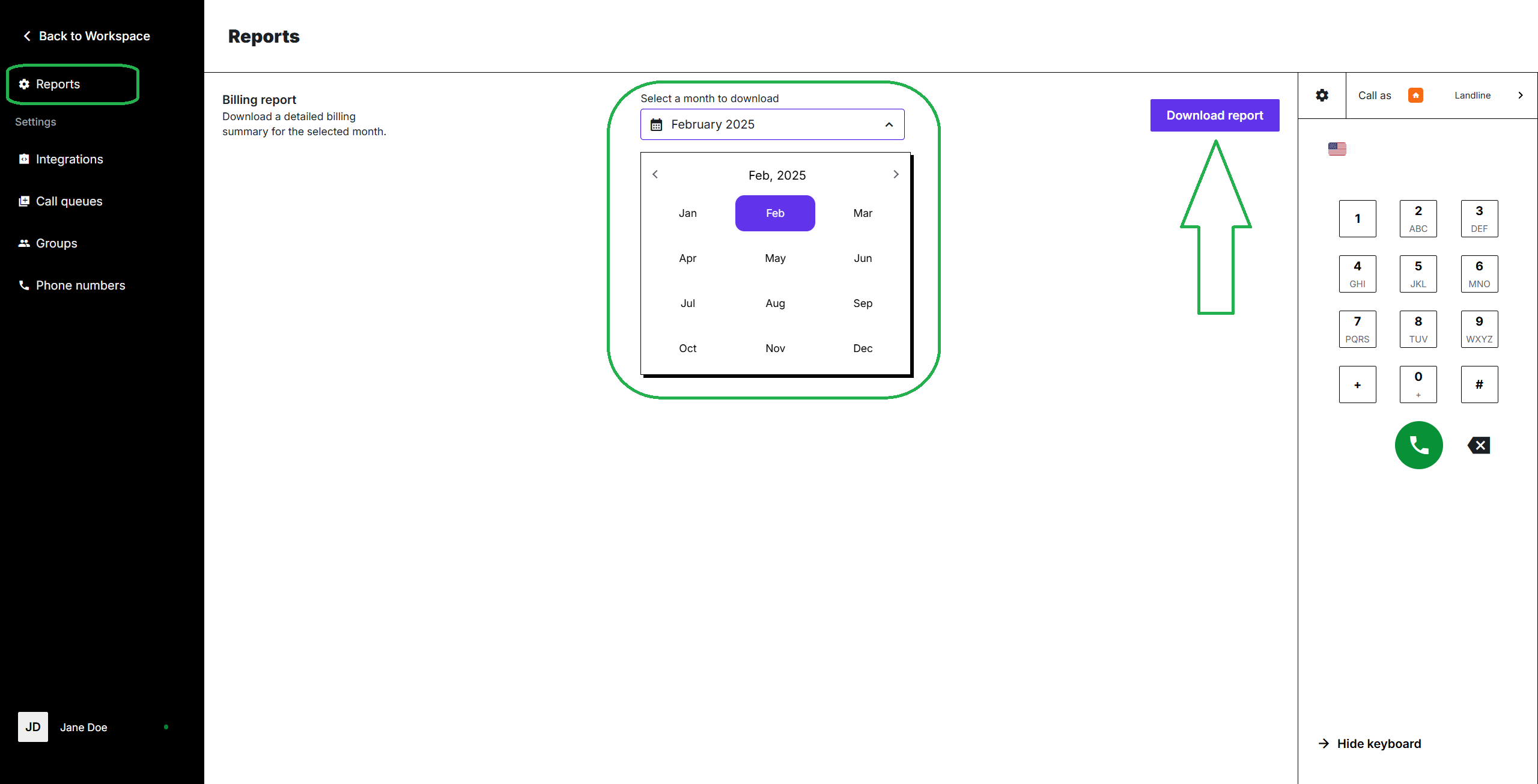
The download will start, and the report in .xlsx format will be saved to your device.
