Last update: 09/04/2025
Access to reports is limited to users with Admin permissions. If you don’t have the necessary permissions but need access to a report, please contact your account Admin.
Go to your profile menu (bottom left corner of the screen).
Click on the “Admin” bar.
Once in the Admin panel, go to “Reports”.
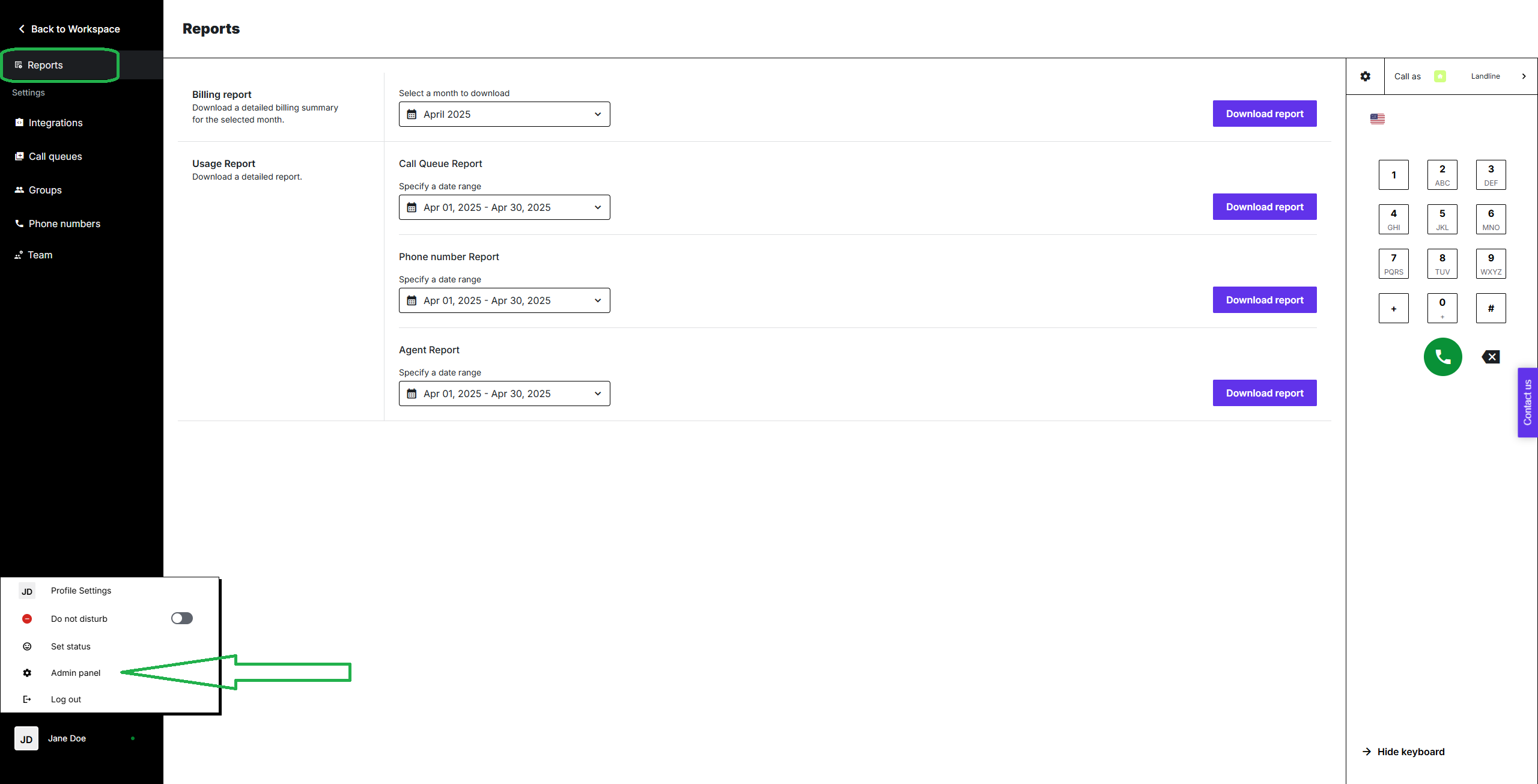
In the section of your interest, select the time period for which you’d like to generate the report.
Click on the “Download report” button.
The system will initiate the downloading process. The CSV file will be downloaded on your device shortly.
For more information about contents of specific reports, check articles linked below:
