Last update: 01/05/2026
To add a new Team member to your company’s PhoneHQ account, you need Admin permissions.
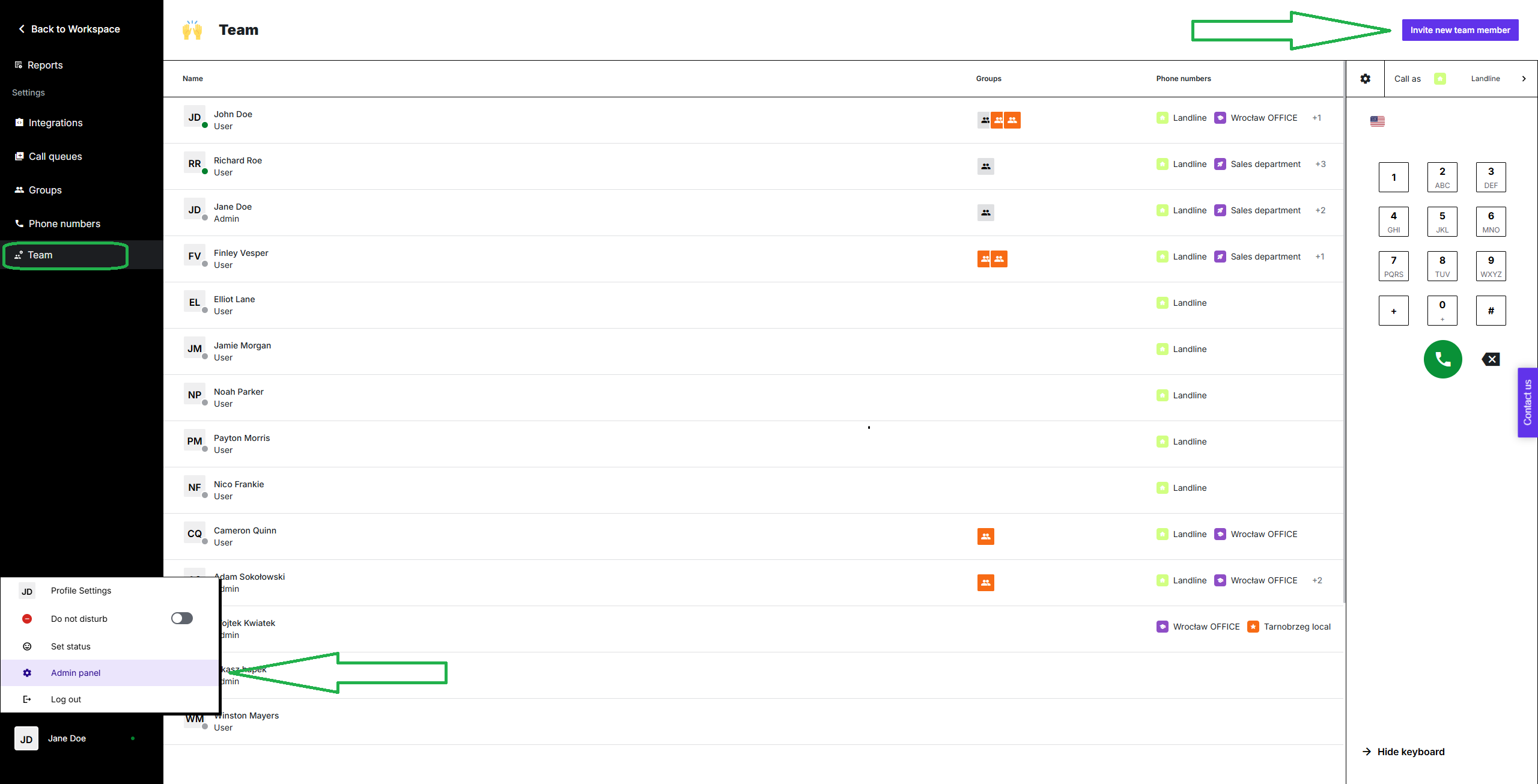
Go to your profile menu (bottom left corner of the screen).
Click on the “Admin” bar.
Click on the “Team” button on the left-side list.
Click the “Invite new team member” button in the top-right corner of the screen.
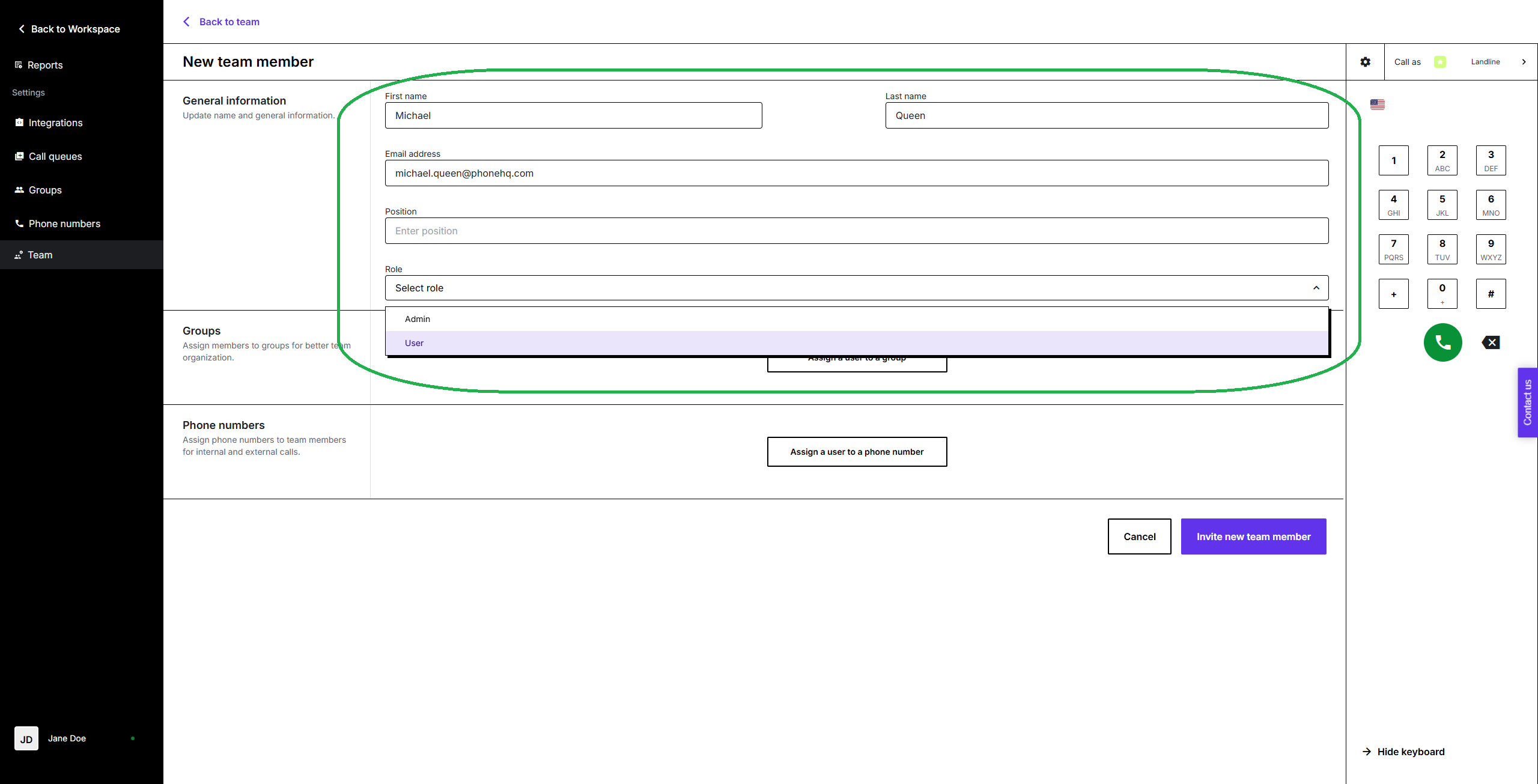
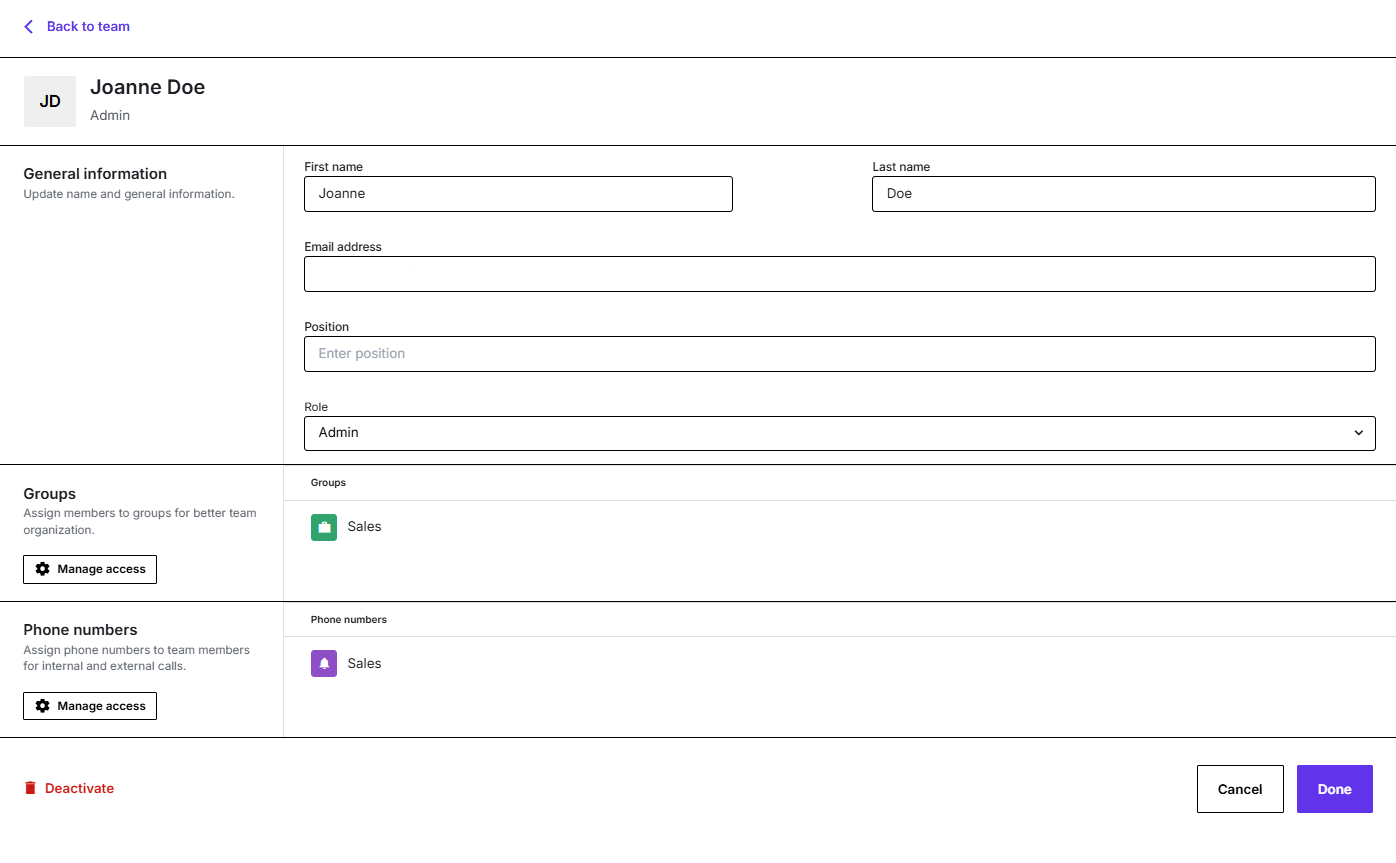
On the next screen, fill all personal information and choose the new user’s role in the system. Position is an optional and can be added or changed later.
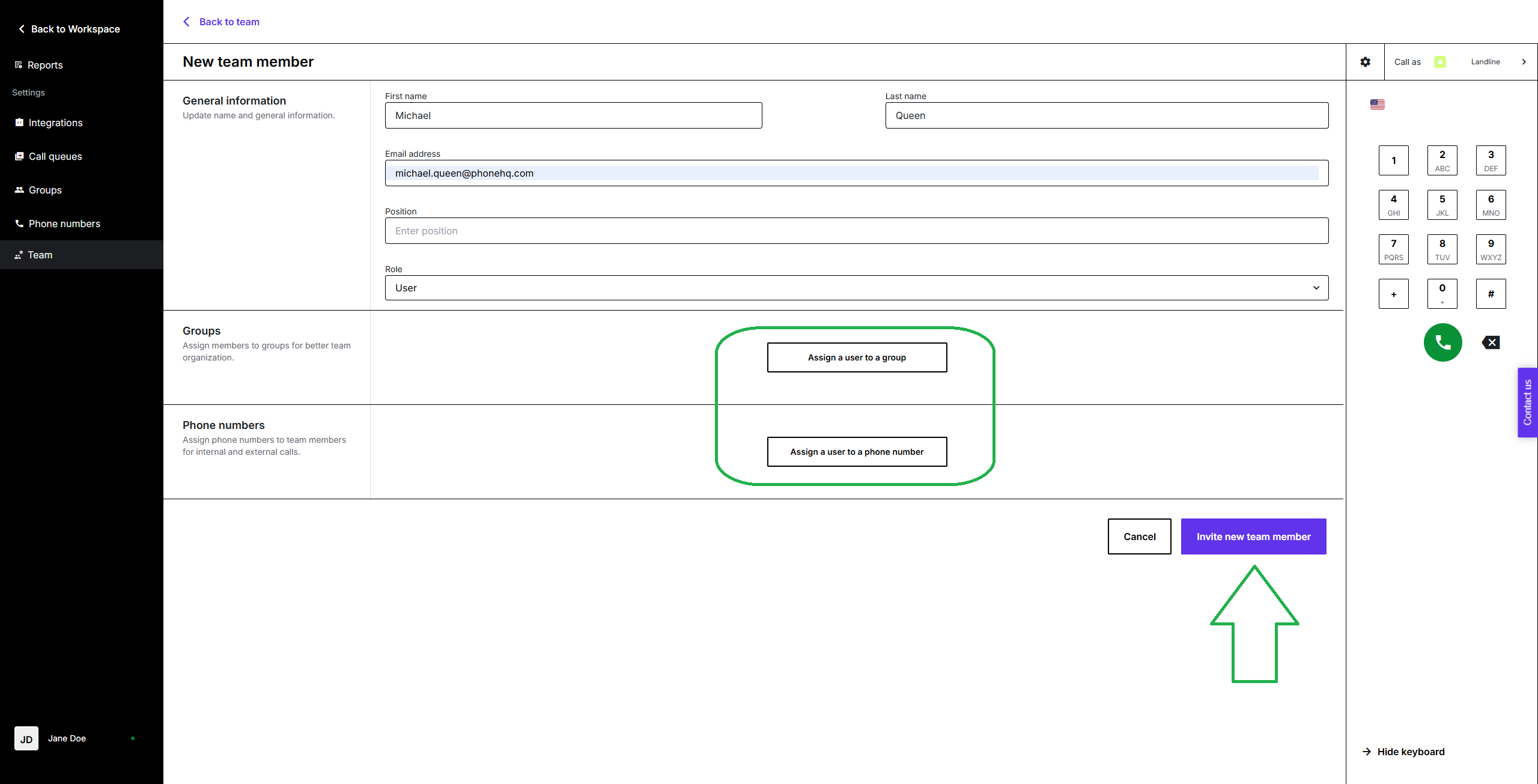
Next, you can assign a new user to a group, as well as grant them access to phone numbers. These settings can be adjusted later.
Once you are done, click the “Invite new team member” button to finish the process.
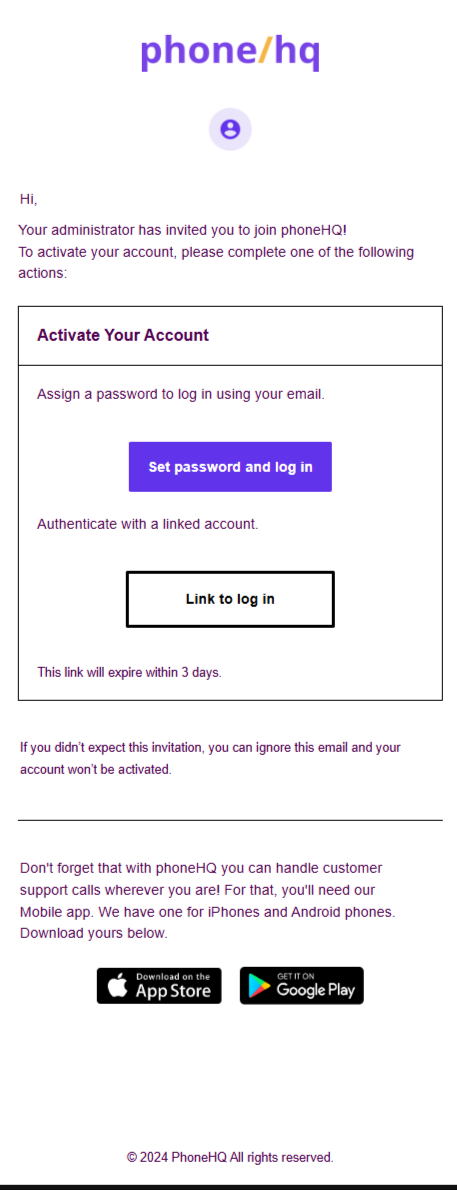
Once done, you should see a green confirmation screen in the top right corner of the screen. A new user will receive on their e-mail an invitation to create a password and activate their account:
You can deactivate a user. In the Admin Panel, go to the Team tab and select the user you want to deactivate. At the bottom of the page, click Deactivate. A deactivated user can be restored later.
FAQ – Adding a New Team Member
1. Do I need Admin permissions to add a new team member?
Yes, only users with Admin permissions can add new members to the company’s PhoneHQ account.
2. Where can I find the option to add a new team member?
Go to the Web Portal → Profile Menu (bottom left) → Admin → Team → Click “Invite new team member.”
3. What information is required when inviting a new member?
You must enter the user’s full name, email address, and system role. Position is optional.
4. Can I assign phone numbers or groups during the invite process?
Yes, you can assign numbers and groups immediately or update them later.
5. How does the invited user activate their account?
They receive an email invitation with a link to create a password and activate their profile.
Term | Definition |
Admin Permissions | Special access allowing management of users, settings, and company resources. |
Web Portal | The online dashboard where Admin tasks are performed. |
Team | The group of users working under a single PhoneHQ company account. |
User Role | The assigned level of access and permissions for a PhoneHQ account user. |
Group | A collection of users grouped by department or function (e.g., Sales, Support). |
Phone Number Assignment | Granting a user access to specific numbers for calling or receiving calls. |
Found a mistake or missing article? Contact PhoneHQ Support and let us know!
